2. Create Social Pages/Profiles
Next task for you is to create social pages/profiles with the name of your blog. For example: If your blog's name will be XYZ, then create a page on Facebook with name XYZ, create a profile on Twitter, Instagram, Google plus with name XYZ. You have to create your blog's profile/page on most of the social media platforms but the important are Facebook, Twitter, Instagram and Google Plus.
By social media pages/profiles, you can add a widget for like/follow that pages on your blog. And when you will post a new article on your blog then share it on that profiles you have made. Followers of those profiles will be notified of that and they will come to your blog. Your traffic will increase by social sharing.
3. Decide Platform For Blog
Deciding a platform for the blog is very important. I will suggest you choose from Blogger or WordPress. As this post's title is "How To Start A Money Making Blog For Free" I will suggest you to go with Blogger. Blogger is completely and lifetime free for blogging and as Blogger is a part of Google so there are more chances to rank your blog in Google search.
WordPress is advanced but it is paid. WordPress is also available in the free version but in the free version, you have only limited features. In other hands, Blogger is providing you full features for free. You can use your custom themes on your blog.
Many themes and widgets are available for free in Blogger but not for WordPress.
Things To Do For Blog Starting
Now when you have completed all tasks to do before starting a blog, now you should know about the things to do for starting a blog.
1. Blog Designing
You have created a blog on Blogger. Blogger provides some themes which are simple but not premium looking. You have to choose a theme which can attract your viewers. It may be simple but attractive.
If your blog's theme is attractive and your visitors loves it then probably they will subscribe to your blog or share your post with friends. Choose the color that will grab the attention of visitors in less time.
Your blog's design should be SEO friendly, Ads ready and responsive also. SEO friendly theme will increase your chances to rank in search engines. Ads ready theme will help you in more revenue(means more money). The responsive theme will make your blog design available for all devices like Ipads, Smartphones, Tablets, and Laptop. The responsive theme will work great on all devices.
2. Writing A Post That Will Go Viral
Writing a viral post is necessary to give your blog a kick start. Yes, you can write a post that will go viral and give you a huge amount of traffic. Just follow these steps:
a. Write Catchy Titles
The first thing that will go in visitor's mind will be your post's title. Make it attracting. Use some catchy words in your title. These words can be emotional, power words, effect words.
List of 21 Attention Grabbing Words:
1. Amazing
2. Exclusive
3. Effective
4. First
5. Free
6. Approved
7. Verified
8. Guaranteed
9. Best
10. Best selling
11. Hurry
12. Special
13. Gift
14. Increase
15. Improve
16. Secure
17. Powerful
18. Successful
19. Certified
20. 100% working
21. Tested
b. Write Catchy Headings
Like the catchy title, you should also write catchy headings. After looking at the title if visitors click on a post then first thing which will be seen by the visitor is your heading. So make it attracting also.
c. Properly Use Heading Tags
You should write your article with a proper using of heading tags. For example:
Father
Father's Son
Father's Grandson
Father's Son's Grandson
d. Write Detailed Articles
Don't try to give information on a single line. Make it detailed. Write maximum details you can write. Make your posts always above than 1000 words as more words will result in more SEO and your article may be rank high on search engines.
e. Write On Low Competition Keywords
Do some research and find out low competition keywords with the high number of searches and write an article about it. If you will write on low competition keywords there will be more chances that your article will rank in search engines. Low competition keywords are that keywords on which the number of articles is less mean only a few bloggers are writing about it.
f. Make Your Post Attractive
Like your blog design, your post should also be attractive. Use pictures, videos or info-graphics in your posts. These items grab your visitor's attention. If you will write an article without any image it will be boring for readers and maybe they will not read it fully. But if you will use some visuals like images, videos or info-graphic it will become interesting to read along with visuals. For example: If you take a storybook then it will not be interesting to read but if it is a comic book you will find it interesting. Why? Because in Comics more visual content have used but in the storybook, there were only some pictures and full of written text.
g. Write For Your Readers
Don't write for yourself or for search engines. Only write for your visitors.Use very simple language that anyone can easily understand. Write on topics what visitors are interested in. If you will write content according to visitor's interest then there will be more chances that they will share your content. To know about visitor's interest you can use Google Trends, Google Keyword Planner, Forums, Comments on Blogs, Quora etc.
h. Do Research
Do research on some posts that are on the top of search results and analyze them. Analyze the way of writing of that content and how the keywords are used in that article. You can also do research on your competitor's posts.
i. Give Information By Lists and Data
Give information by using lists and data can make your post more attractive. You can try making a list or info-graphics like charts, graphs etc. For example:
You can write:
1. List of 101 ways to earn money by internet
2. List of 300+ attention-grabbing words
3. List of 100+ ideas for YouTube videos
4. List of 220+ ideas for Blog posts.
3. Ask Visitors To Share Your Post
As your blog is new so it will not get search engine's traffic at the start, therefore the best way to get traffic is social sharing. Share your posts and also write at the end of the post to share that post. If your visitors will share your content then your blog's social rank will also increase.
4. Make Important Pages For Your Blog
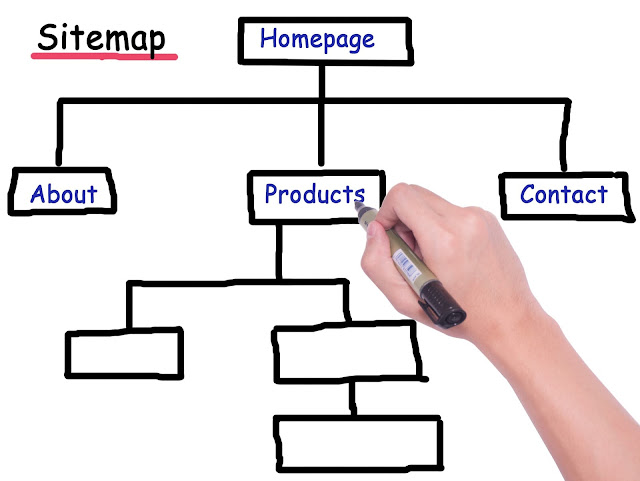
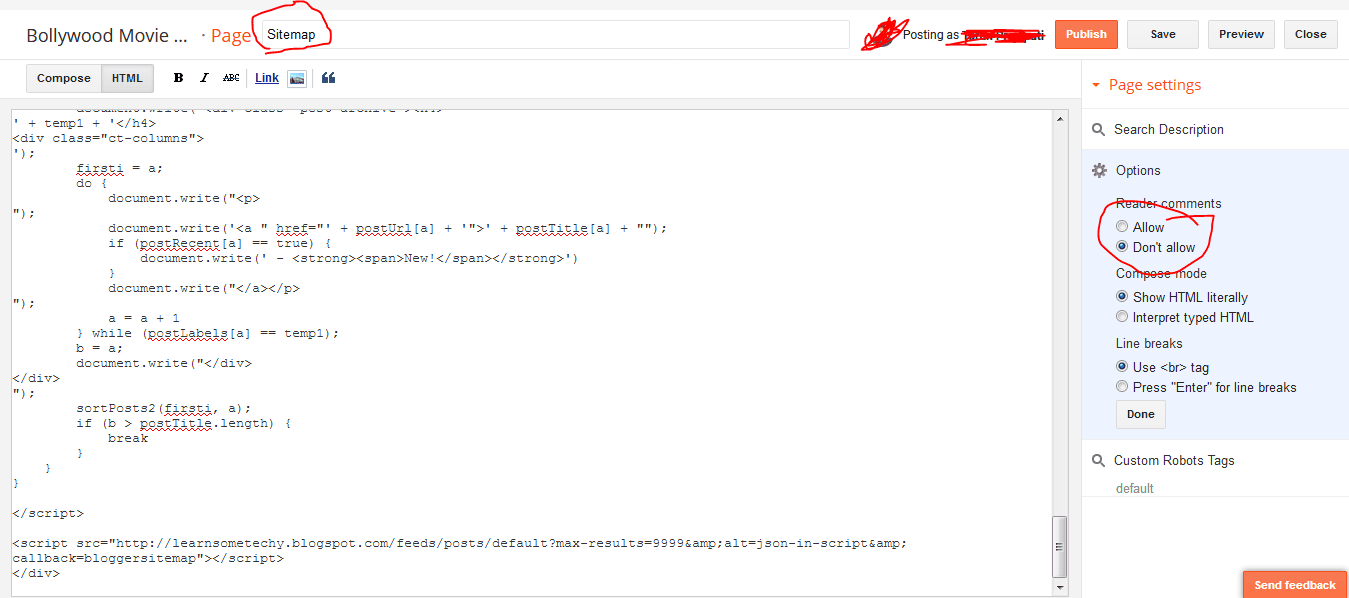
Create important pages for your blog like about us, disclaimer, privacy policy, contact us and sitemap. About us page is a page which will describe your blog means what is your blog about and what information is on your blog. Contact us page should be the must. As it will be the medium for your visitors to contact you. Sitemap page is a page where all your blog's posts can be found in form of lists. The sitemap is also called table of content.
Things To Do After Starting Blog
1. Share Your Blog/Blog Posts
Share your post on almost every social media platform. As your blog is new your blog needs traffic. And social media can give you traffic.
2. Create Backlinks
When your blog will become 1 or 2 months old and have more than 10 articles, start creating backlinks for it. Backlinks are very important in SEO and affect the ranking of your blog. The more quality backlinks your blog have more your rank on search engines will be. Backlinks can be created by commenting on blogs, guest posting etc. Backlinks create a relation between two blogs/sites. And if you have relationships with a blog which have good impression in Google's eye then your blog's impression will also be good.
3. Do Guest Posting
When your blog will become 1 or 2 months old and have more than 10 articles, start writing guest posts. Guest posts are posts that you write but don't publish on your blog and give it to any blogger whose blog's rank is higher. He publishes that article on his blog and gives you a backlink.
4. Submit Your Blog To Blog Directories
There are many blog directories available on which you can submit your blog for free. By this, you will get a quality backlink. it takes more than 6 months for listing a blog in blog directories if you are submitting it for free.
Liked This Article? Please Share it to support us.
Have any questions? Write in the comment box below.